Amazon S3 Tips, Tricks, and Resources

S3 Permission Management Nightmare
IAM policies are powerful...but for everyday S3 permission management, they create unnecessary complexity. Here’s why AWS teams struggle with file sharing, and what works better.
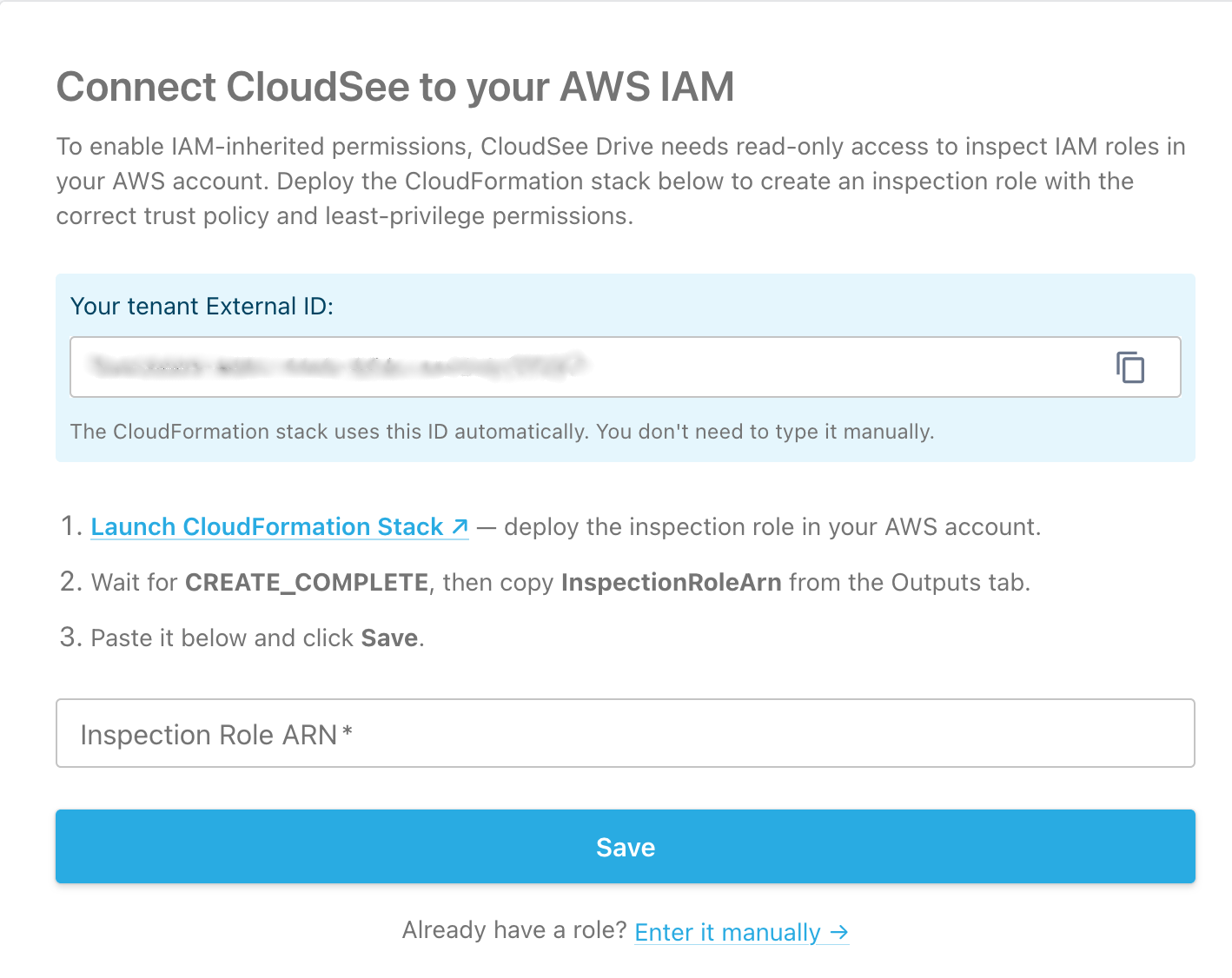
IAM-Inherited Permissions for CloudSee
CloudSee Drive now speaks fluent IAM. No more managing permissions twice with IAM-Inherited Permissions Mode. CloudSee Drive reads your IAM policies. Whatever IAM allows, CloudSee faithfully reflects.

S3 Bucket Policy Deep Dive
S3 bucket policies aren’t hard because you’re bad at IAM; they’re hard because raw JSON is a terrible format for fast human judgment. This article gives AWS admins a practical reading protocol for S3 bucket policies, starting with `Deny` statements, treating `NotAction` and `NotPrincipal` as full‑stop checkpoints, and checking wildcards and conditions in context.

The AWS Admin’s Field Guide to S3 Metadata Search
Amazon S3 has no built-in metadata search, forcing teams to choose between slow scans or building an index. This guide breaks down three real-world approaches (Athena, S3 Select, and Lambda indexing) so you can pick what works best at scale.

Tagging to Protect Sensitive Data in S3 at Scale
S3 tagging is the backbone of scalable data classification in AWS. Learn how to enforce access control, automate tagging, and maintain compliance with real-world examples and best practices.